


VIVO Phone Stuck on Logo – Easy Software Fix Guide (2026)
VIVO smartphones are known for their stylish design and powerful performance. However, sometimes users face a common issue where the VIVO phone gets stuck on the logo during startup. This problem is called bootloop or logo hang issue.
If your VIVO Phone Stuck on Logo, don’t worry. In most cases, the problem is related to software errors, and it can be fixed without replacing any hardware.
In this complete guide by Virani Telecom, we will explain the causes and the best software solutions to fix VIVO logo stuck issues step by step.
What is VIVO Phone Stuck on Logo Issue
When you turn on your phone and it stops on the VIVO logo screen without loading the system, the device is stuck in a boot process.
This means:
- The Android system cannot start properly
- The device keeps restarting or freezes on the logo
- The operating system files may be corrupted
This problem is commonly known as:
- Bootloop
- Logo hang
- Stuck on boot screen
Common Causes of VIVO Logo Stuck Problem
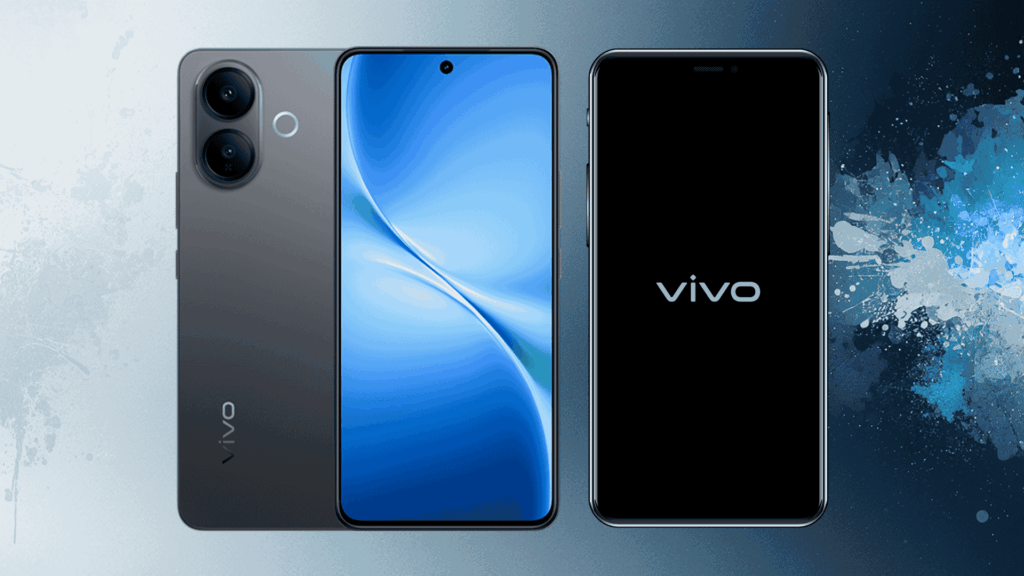
There are several software-related reasons behind this issue.
1. Corrupted Software Update
If a software update fails or stops midway, the system files may become damaged.
2. Failed App Installation
Some third-party apps may conflict with the Android system.
3. System File Corruption
Important Android files may get deleted or damaged.
4. Malware or Virus
Malicious apps can cause system instability.
5. Improper Rooting or Flashing
Incorrect flashing or rooting may cause boot problems.
Basic Troubleshooting Methods
Before trying advanced solutions, start with simple troubleshooting steps.
Check Battery Level
Make sure the battery has enough charge.
Remove SIM and Memory Card
Sometimes faulty SD cards can cause boot problems.
Wait for 5–10 Minutes
Sometimes the system takes longer to boot after updates.
Fix 1 – Force Restart the Phone
A force restart can solve minor software glitches.
Steps
- Press and hold Power Button + Volume Down
- Hold for 10–15 seconds
- The phone will restart automatically
If the issue was temporary, the phone will start normally.
Fix 2 – Boot into Recovery Mode
Recovery mode allows you to repair system problems.
Steps to Enter Recovery Mode
- Turn off the phone
- Press Power Button + Volume Up together
- Release when the VIVO logo appears
- Recovery Mode will open
From here you can perform system repair actions.
Fix 3 – Wipe Cache Partition
Temporary system files can sometimes cause boot problems.
Steps
- Enter Recovery Mode
- Select Wipe Cache
- Confirm the action
- Restart the phone
This method does not delete personal data.
Fix 4 – Factory Reset the Device
If the issue continues, you may need to reset the device.
⚠ Important: This will erase all data.
Steps
- Enter Recovery Mode
- Select Wipe Data / Factory Reset
- Confirm the process
- Restart the phone
This will reinstall the system configuration.
Fix 5 – Flash VIVO Firmware (Advanced Method)
If the phone is still stuck on the logo, the final solution is flashing the official firmware.
This process reinstalls the complete Android operating system.
Tools Required
- VIVO USB Driver
- VIVO Flash Tool
- Official VIVO Firmware
- USB Cable
- Computer or Laptop
Flashing Process
- Install USB Drivers
- Download the correct firmware for your model
- Open VIVO Flash Tool
- Connect the phone in EDL or Fastboot mode
- Load firmware files
- Start flashing
After flashing completes, the phone will reboot normally.
Tools Required for VIVO Software Repair
Mobile technicians commonly use these tools:
- SP Flash Tool
- QFIL Tool
- VIVO Flash Tool
- Miracle Box
- UMT Tool
These tools help repair dead boot and logo hang issues.
When to Visit a Mobile Technician
You should visit a technician if:
- The phone still shows logo hang after flashing
- The device does not enter recovery mode
- The phone does not turn on
- Hardware issues are suspected
Professional technicians have advanced tools to repair motherboard or firmware problems.
Conclusion
The VIVO Phone Stuck on Logo problem is a common issue that usually happens due to software errors or corrupted system files.
Fortunately, most cases can be fixed using simple methods such as:
- Force restart
- Recovery mode repair
- Cache wipe
- Factory reset
- Firmware flashing
If the issue still continues, it is recommended to visit a professional mobile repair expert.
👉 Virani Telecom provides expert mobile software repair training and professional solutions for smartphone technicians.
If you want to learn advanced mobile repairing and software flashing, follow our guides and stay connected with Virani Telecom.
FAQs – VIVO Phone Stuck on Logo
1. Why is my VIVO phone stuck on the logo?
The issue usually occurs due to corrupted software, failed updates, or system file damage.
2. Can I fix VIVO logo stuck without losing data?
Yes, methods like force restart or cache wipe may fix the issue without deleting data.
3. Will factory reset fix the VIVO logo problem?
In many cases, factory reset solves the bootloop issue, but it will delete all data.
4. Is flashing safe for VIVO phones?
Yes, if you use the correct firmware and flashing tool, it is safe and commonly used by technicians.
5. Can hardware cause logo stuck issues?
Yes. In rare cases, eMMC or motherboard faults can also cause boot problems.
Dahisar – HO
Shop No 2D Bldg No.2, Labh Darshan, D Wing, Chhatrapati Shivaji Rd, near Subway, Avdhut Nagar, Dahisar East, Mumbai, Maharashtra 400068
Borivali
Shop No.5, Thakkar Shopping Centre, Gyan Nagar, Mhatre Wadi, Borivali West, Mumbai, Maharashtra 400092
Kandivali
Shop No 103, Ground Floor, Raghuleela Mega Mall, Bus Depot, near Poisar, Kandivali, Jai Bhim Sanjay Nagar, Kandivali West, Mumbai, Maharashtra 400067

Chetan Virani
March 7, 2026Wow Excellent work 👍👏 performance
Awesome