



Mobile Motherboard Component Identification Guide
📘 Introduction
Mobile Motherboard Component Identification Guide: In today’s digital world, smartphones are used for everything—communication, business, entertainment, and learning. When a phone stops working, the problem is often inside the motherboard.
That’s why learning motherboard components is the core of mobile repair technician training. If you understand each component properly, you can diagnose problems faster and repair phones professionally.
This guide will explain every important motherboard component in detail, including how it works, how to identify it, and what happens when it gets damaged.
📱 What is a Mobile Motherboard?
A mobile motherboard, also called a PCB (Printed Circuit Board), is the central platform where all electronic components are connected.
🔍 Key Functions:
- Distributes power from battery to all parts
- Connects CPU, RAM, storage, and sensors
- Controls communication between hardware parts
- Manages signals like network, audio, and display
👉 Think of it like the heart + brain of the phone combined.
If even one important line or component fails, the entire phone can stop working.
🎯 Importance of Component Identification
Learning identification is not optional—it is mandatory for any technician.
✅ Why it matters:
1. Accurate Fault Diagnosis
Without identifying components, you will only guess problems. Identification helps you find the exact faulty part.
2. Time Saving
Instead of checking the whole board, you can directly test specific components.
3. Prevents Damage
Wrong repair or overheating can damage nearby parts. Identification ensures safe repair.
4. Professional Growth
Advanced repairs like IC replacement or jumper work require strong identification skills.
5. Better Earnings
Technicians who can repair motherboard-level issues earn more than basic technicians.
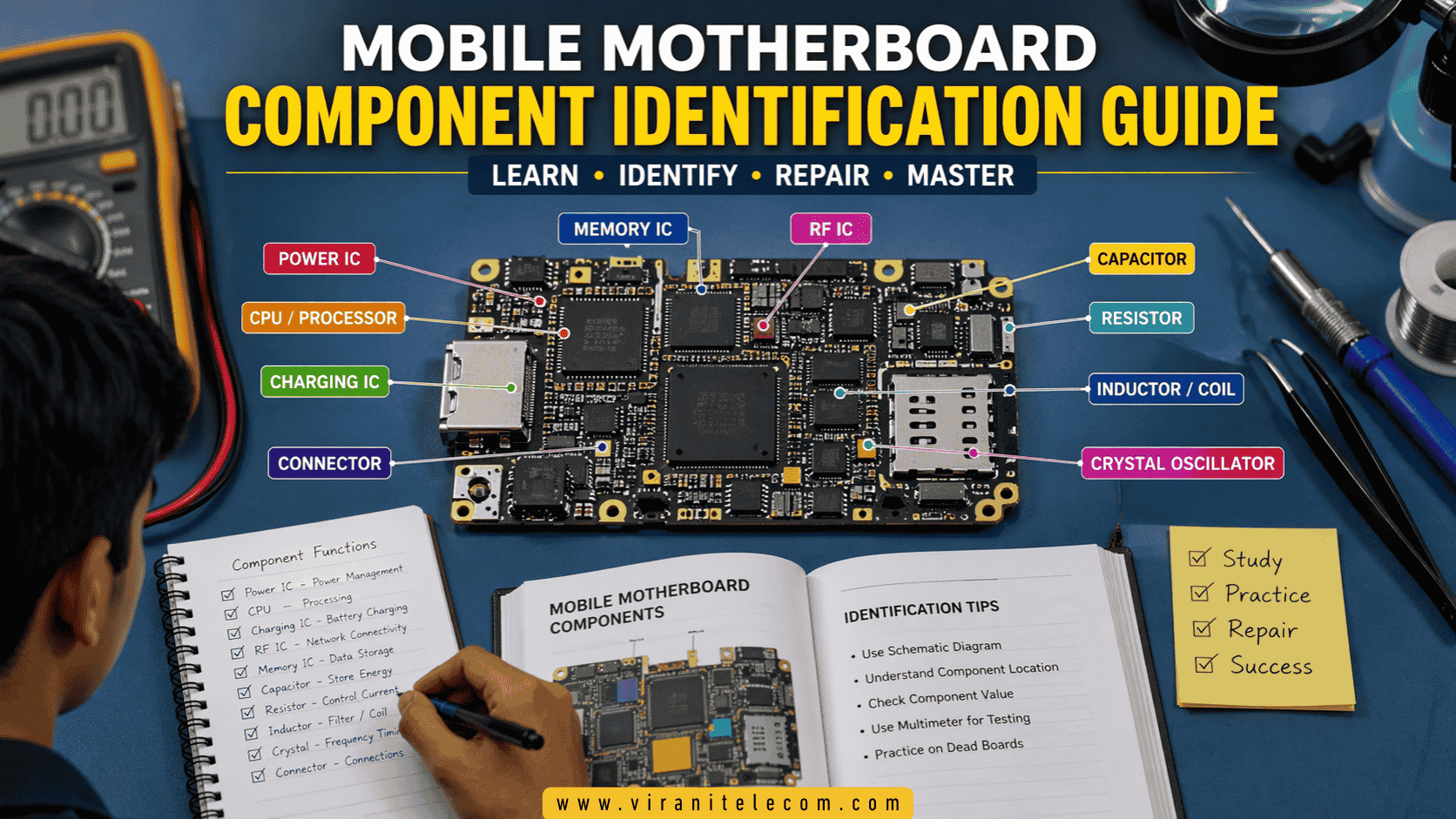
🔧 Types of Mobile Motherboard Components
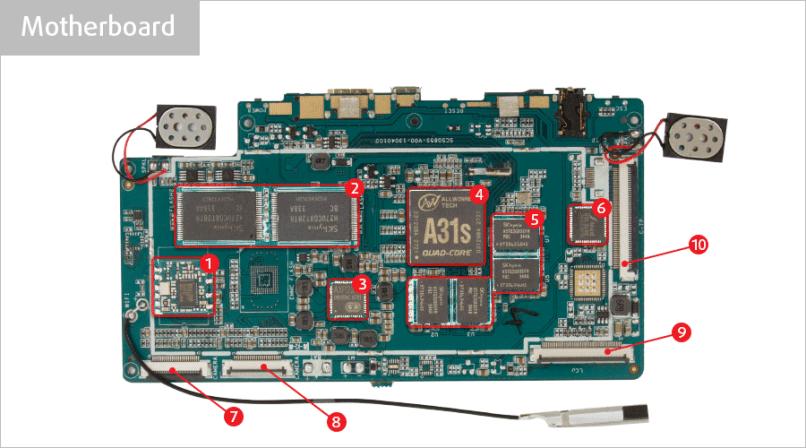
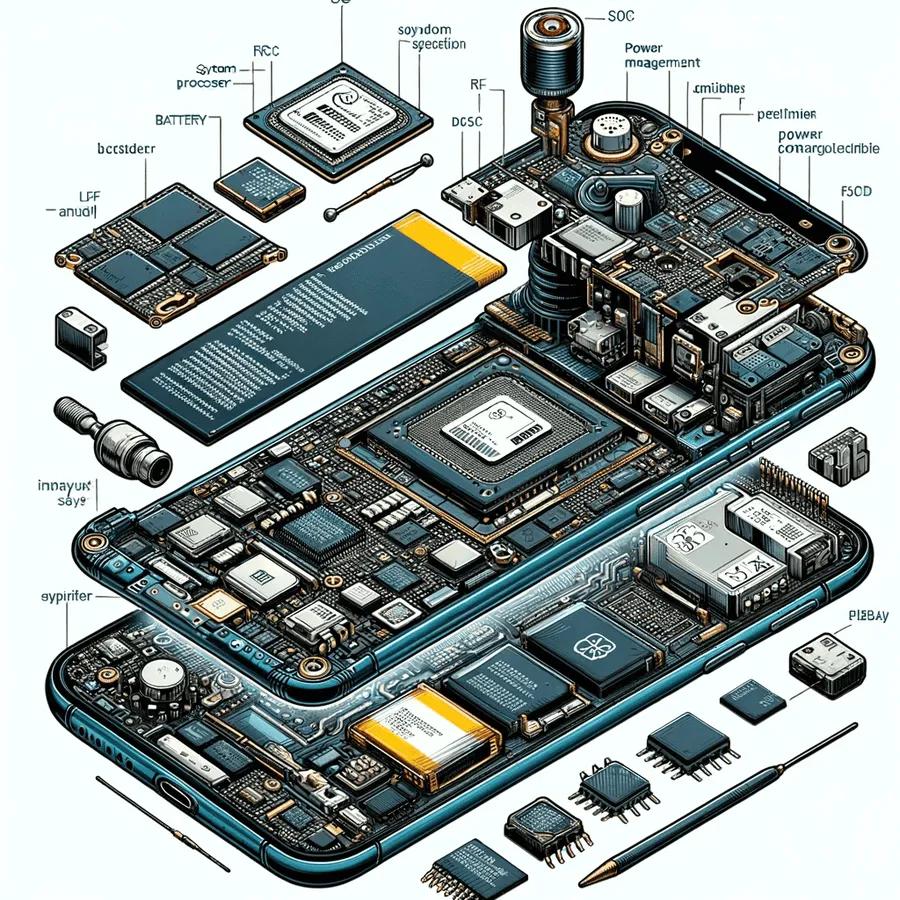
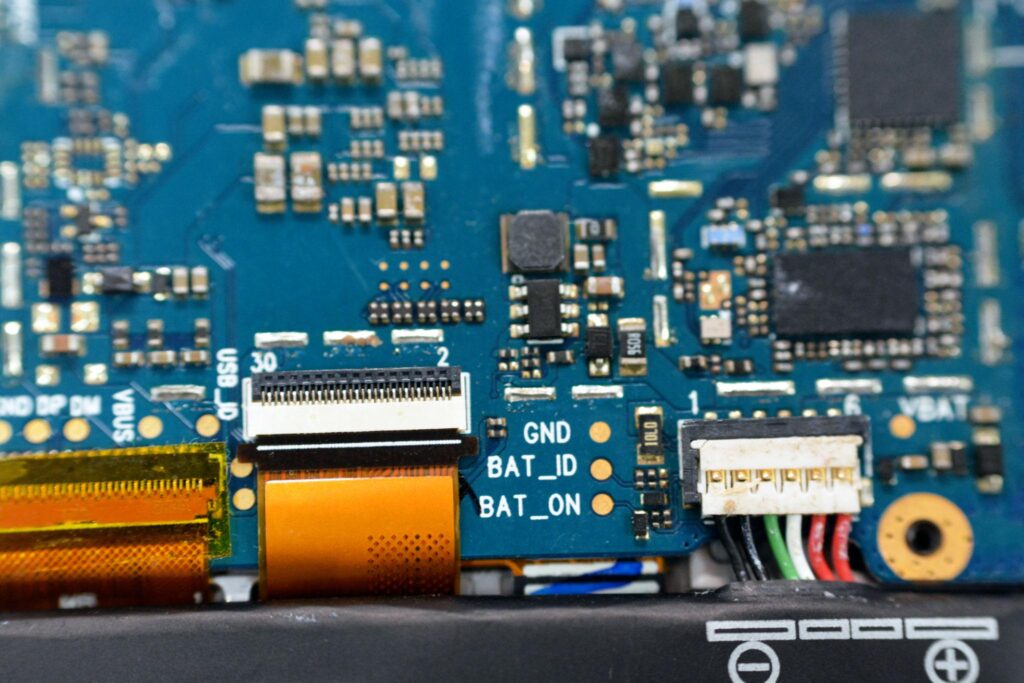
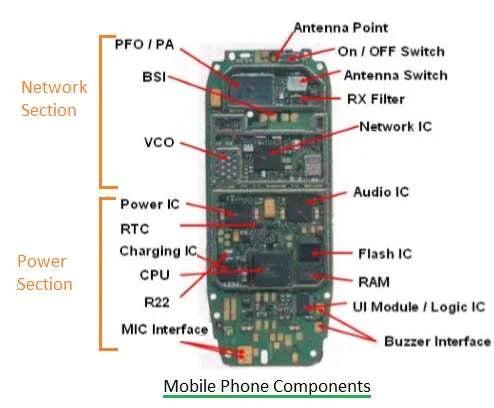
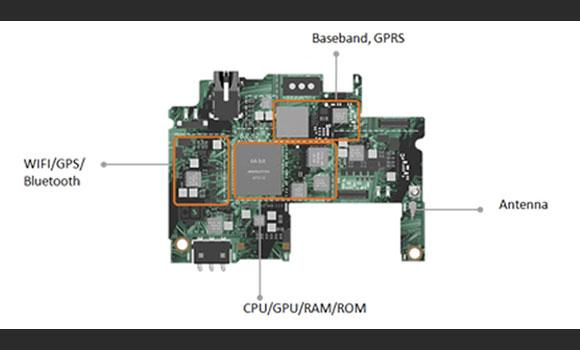
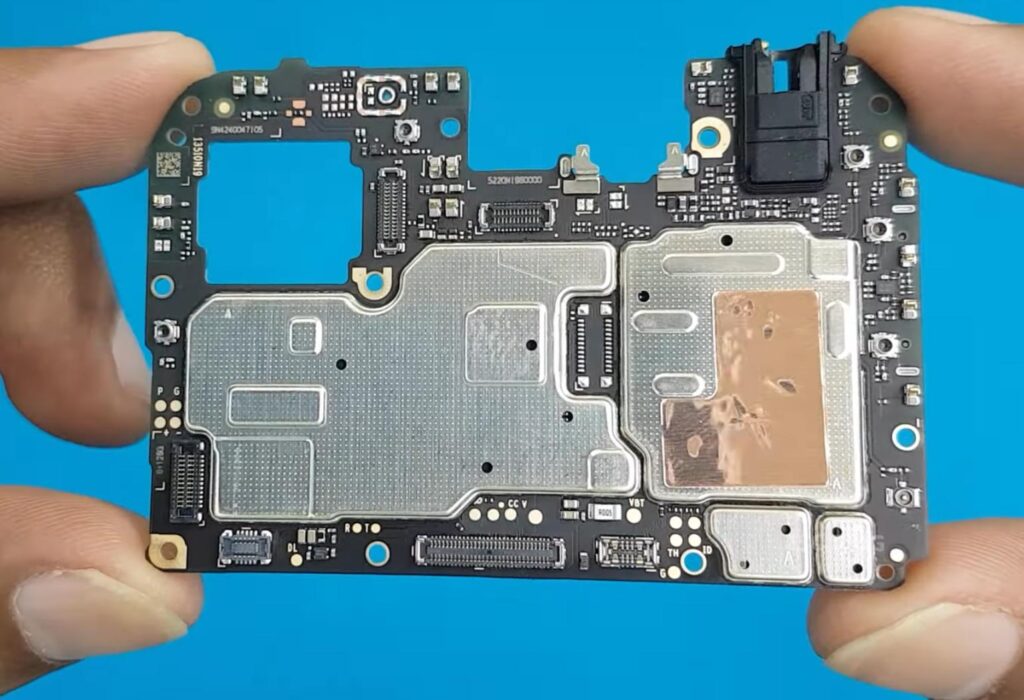
🔹 1. IC (Integrated Circuit)
ICs are complex chips that perform major functions.
📌 Types of ICs Explained:
Power IC (PMIC)
- Controls voltage distribution
- If damaged → phone dead or not charging
CPU (Processor)
- Main brain of the phone
- Handles all operations
- Fault → phone dead or hanging
Charging IC
- Controls battery charging
- Fault → phone not charging
Network IC
- Handles signal and connectivity
- Fault → no network / no SIM detection
Audio IC
- Controls sound
- Fault → no sound or mic issue
👉 ICs are usually black chips with multiple pins.
🔹 2. Resistor
A resistor controls the flow of electric current.
📌 Features:
- Very small in size
- Marked with numbers like 101, 102
- Measured in Ohms
📌 Fault Symptoms:
- Circuit not working properly
- Voltage imbalance
🔹 3. Capacitor
Capacitors store and release electrical energy.
📌 Function:
- Smooth voltage
- Remove noise from signals
📌 Fault Symptoms:
- Short circuit
- Phone overheating
- Power issue
👉 Capacitors are one of the most common faulty components.
🔹 4. Diode
A diode allows current to flow in only one direction.
📌 Uses:
- Protects circuit from reverse current
- Used in charging section
📌 Fault Symptoms:
- No charging
- Power failure
🔹 5. Coil / Inductor
Coils regulate power and store energy in magnetic form.
📌 Function:
- Used in DC-DC converters
- Stabilizes voltage
📌 Fault Symptoms:
- Voltage fluctuation
- Phone not turning ON
👉 Looks like a small box or copper-wrapped component.
🔹 6. Crystal Oscillator
This component generates timing signals.
📌 Function:
- Maintains frequency for CPU and network
📌 Fault Symptoms:
- No network
- Phone not booting
🔹 7. Connector
Connectors link external parts to the motherboard.
📌 Examples:
- Display connector
- Battery connector
- Charging port connector
📌 Fault Symptoms:
- Display not working
- Charging issue
- Loose connection
🔍 How to Identify Components Easily (Step-by-Step)
✅ Step 1: Visual Inspection
- Use a microscope
- Look for burned, broken, or missing parts
✅ Step 2: Understand Board Layout
- Different sections (Power, Network, Charging)
- Learn common placement patterns
✅ Step 3: Use Schematic Diagram
- Match components with diagram
- Helps in advanced repairs
✅ Step 4: Testing with Multimeter
Modes to Use:
- Continuity mode
- Voltage mode
- Diode mode
👉 This helps confirm if a component is working or faulty.
🛠️ Tools Required for Professional Identification
🔧 1. Microscope
- Helps see tiny components clearly
🔧 2. Multimeter
- Tests voltage, current, resistance
🔧 3. Soldering Iron
- Used for removing/replacing components
🔧 4. Hot Air Gun
- Required for IC removal
🔧 5. PCB Holder
- Holds board safely
🔧 6. DC Power Supply
- Helps detect short circuits
⚠️ Common Faults and Troubleshooting (Detailed)
📌 Phone Dead
- Check battery voltage
- Test Power IC
- Check short circuit
📌 No Charging
- Check charging port
- Test charging IC
- Check diode and capacitor
📌 No Network
- Check antenna line
- Test Network IC
📌 Overheating
- Check short capacitor
- Use thermal detection
📌 No Display
- Check display connector
- Check display IC
💡 Tips for Beginners in Mobile Repair
- Start with basic theory first
- Practice daily on old boards
- Learn schematic reading slowly
- Watch repair videos regularly
- Join professional mobile repair technician training
- Be patient—skills improve with time
🎥 Watch on YouTube
👉 Learn practically with step-by-step mobile repair videos from Virani Telecom to understand motherboard repair faster.
❓ FAQs (Mobile Motherboard Component Identification)
1. Which component fails most in mobile phones?
Capacitors and charging IC are most commonly damaged.
2. Is motherboard repair difficult?
It becomes easy with practice and proper training.
3. What is the best way to learn identification?
Practice with real boards + study schematics + use a microscope.
4. Can I repair phones without tools?
No, professional tools are required for accurate repair.
5. How much can a mobile technician earn?
Income depends on skills, but motherboard-level technicians earn significantly higher.
✅ Conclusion (Mobile Motherboard Component Identification)
Mobile motherboard repair is a high-demand skill that requires patience, practice, and proper knowledge. By understanding each component in detail, you can confidently diagnose and repair any smartphone issue.
If you want to grow faster and earn professionally, investing in mobile repair technician training is the best decision for your future.
Dahisar – HO
Shop No 2D Bldg No.2, Labh Darshan, D Wing, Chhatrapati Shivaji Rd, near Subway, Avdhut Nagar, Dahisar East, Mumbai, Maharashtra 400068
Borivali
Shop No.5, Thakkar Shopping Centre, Gyan Nagar, Mhatre Wadi, Borivali West, Mumbai, Maharashtra 400092
Kandivali
Shop No 103, Ground Floor, Raghuleela Mega Mall, Bus Depot, near Poisar, Kandivali, Jai Bhim Sanjay Nagar, Kandivali West, Mumbai, Maharashtra 400067

Chetan Virani
April 24, 2026Wow super se bhi upar