








How to Root Android Devices Without Losing Data: Complete Guide for Beginners
How to Root Android Devices:
Introduction:
Rooting an Android phone gives you full control over your device, allowing you to install custom ROMs, delete system bloatware, and unlock hidden features. But many users fear one thing – data loss.
In this guide by Virani Telecom, the Best Mobile Repair Training Center in Mumbai, we’ll show you how to root your Android device without losing any data. Whether you’re a beginner or a mobile repair student, this article is for you!
🚀 What is Rooting?
Rooting means unlocking the “root” level of your Android operating system. It gives you administrative access, which lets you customize your phone beyond what the manufacturer allows.
⚠️ Rooting your phone voids the warranty and may cause issues if not done correctly. Always follow safe methods.
🧠 Why People Root Android Devices
- Remove unwanted system apps
- Improve battery performance
- Boost speed and storage
- Install advanced apps
- Customize UI with custom ROMs
✅ How to Root Android Devices Without Losing Data
Follow these steps to ensure a safe rooting process without data loss:
1: Backup Everything First (As a Precaution)
Even though the method is safe, always back up:
- Contacts, Messages
- Photos, Videos
- App data
Use Google Backup or apps like Super Backup & Restore.
2: Enable Developer Options and USB Debugging
- Go to Settings > About Phone
- Tap Build Number 7 times
- Go to Developer Options
- Turn on USB Debugging and OEM Unlocking
3: Download Required Tools
- Magisk ZIP file (for rooting)
- TWRP Recovery Image for your phone model
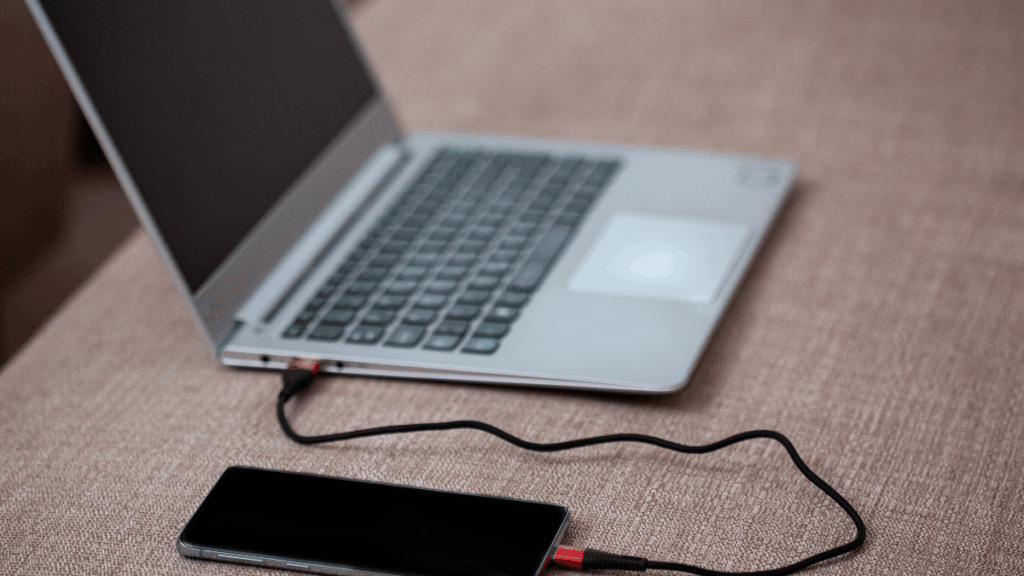
- ADB & Fastboot Drivers on your PC
You can get these tools from trusted XDA Developers forums.
4: Unlock Bootloader Without Wiping Data
Use official unlock methods from the phone brand. Some brands like OnePlus and Motorola allow bootloader unlocking without wiping data.
Use command:
fastboot oem unlockor
fastboot flashing unlock_criticalNote: The command may vary for each brand. Always follow device-specific guides.
Step 5: Flash TWRP Without Data Loss
Use the ADB command:
fastboot flash recovery twrp.imgNow boot into TWRP Recovery Mode.
Step 6: Root Using Magisk (Without Wiping Anything)
- In TWRP, click on Install
- Select the Magisk ZIP file
- Swipe to confirm flash
- Reboot system
Congratulations! 🎉
Your phone is now rooted, and your data is safe!
🔒 Extra Tips to Stay Safe
- Always use a compatible TWRP file
- Don’t factory reset unless needed
- Avoid shady rooting apps
- Join official Telegram or XDA groups for your phone
👨🏫 Learn Rooting and More with Virani Telecom
Want to master rooting, software flashing, and advanced repairs?
Join Virani Telecom – the Best Mobile Repair Training Center in Mumbai.
We offer:
✅ Basic to Advanced Mobile Repair Courses
✅ Hands-on Practical Training
✅ 100% Job Assistance
✅ Lifetime Support
📞 Contact Us Today to Learn How to Root Android
📞 Call Us: +91 70705 03050
🌍 Website: viranitelecom.com
Virani Telecom today – we’re just one call away from fixing your iPhone!
- X (Twitter): @viranitelecom4u
- Instagram: @viranitelecom4u
- Facebook: viranitelecom4u
Dahisar – HO
Shop No 2D Bldg No.2, Labh Darshan, D Wing, Chhatrapati Shivaji Rd, near Subway, Avdhut Nagar, Dahisar East, Mumbai, Maharashtra 400068
Dahisar – VT1
Shop no 98, Orchid Plaza, behind Movie Time, Theatre, Dahisar East, Mumbai, Maharashtra 400068
Borivali
Shop No.5, Thakkar Shopping Centre, Gyan Nagar, Mhatre Wadi, Borivali West, Mumbai, Maharashtra 400092
Kandivali
Shop No 103, Ground Floor, Raghuleela Mega Mall, Bus Depot, near Poisar, Kandivali, Jai Bhim Sanjay Nagar, Kandivali West, Mumbai, Maharashtra 400067
Andheri
Shop No 18 2nd Floor, Swami Vivekananda Rd, near Railway Colony, Madhav Nagar, Railway Colony, Andheri West, Mumbai, Maharashtra 400058
Conclusion (How to Root Android Devices)
Rooting your Android phone without losing data is possible if you follow the right steps. This guide is a safe and easy way for beginners, students, and tech enthusiasts to get started. Always back up your data, and if you’re serious about learning more, get expert training from Virani Telecom – your gateway to becoming a mobile repair pro.

Chetan Virani
June 3, 2025👌
Abdul sattar khan
October 4, 2025DEVICE IS ROOTED